
GLP-1 Vial Tracker
Glapp is a free GLP-1 vial tracker for iPhone, Android and web that records each compounded tirzepatide, semaglutide or Zepbound vial's concentration, remaining medication and beyond-use date as you log shots.


At a glance
- Price
- Free, as part of Glapp's core tracking.
- Works on
- iPhone, Android and web.
- Concentration
- Keep the strength of each vial with its own record.
- Remaining supply
- See the medication recorded as left after linked shots.
- Important dates
- Save received, opened, and beyond-use dates.
- Shot history
- Look back at the doses logged against each vial.
Track GLP-1 Vial Supply With Every Shot
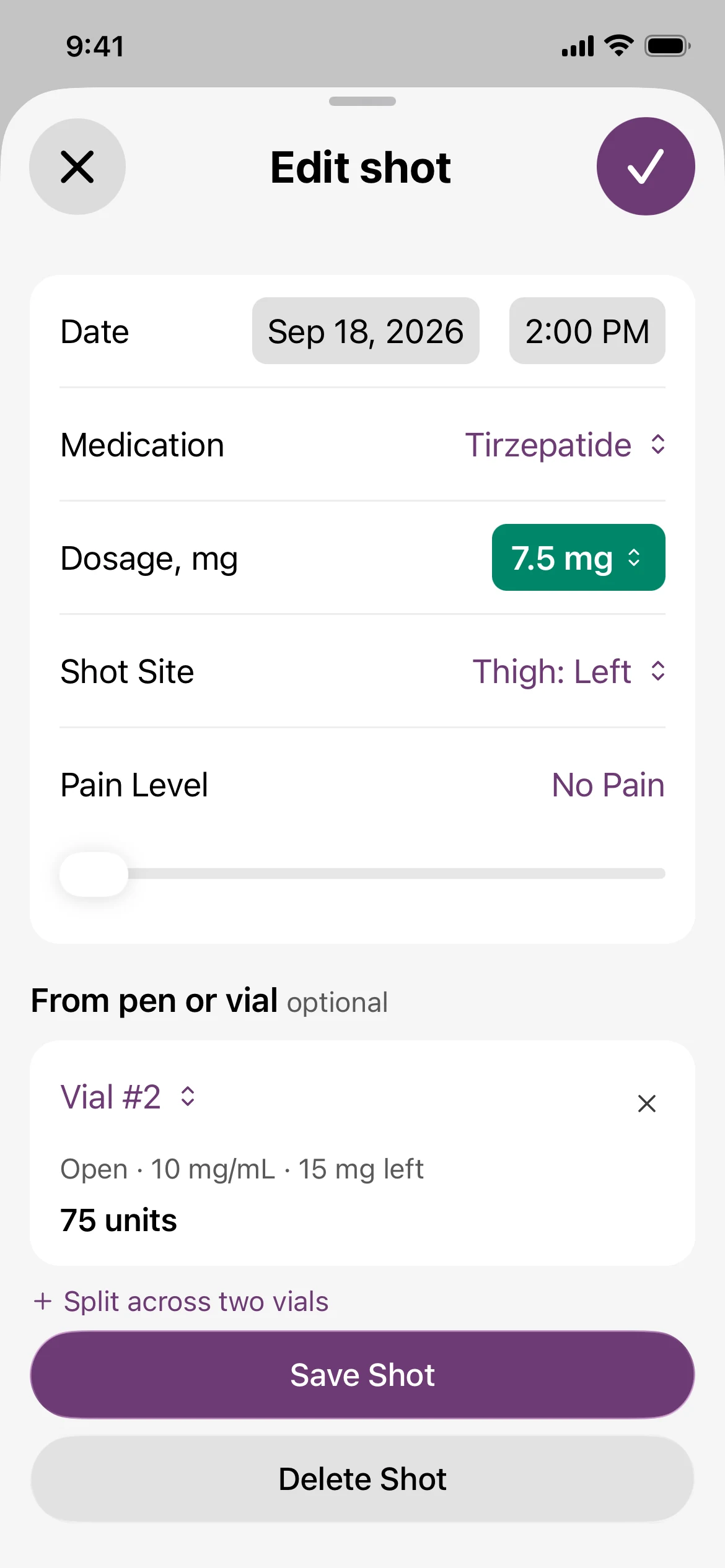
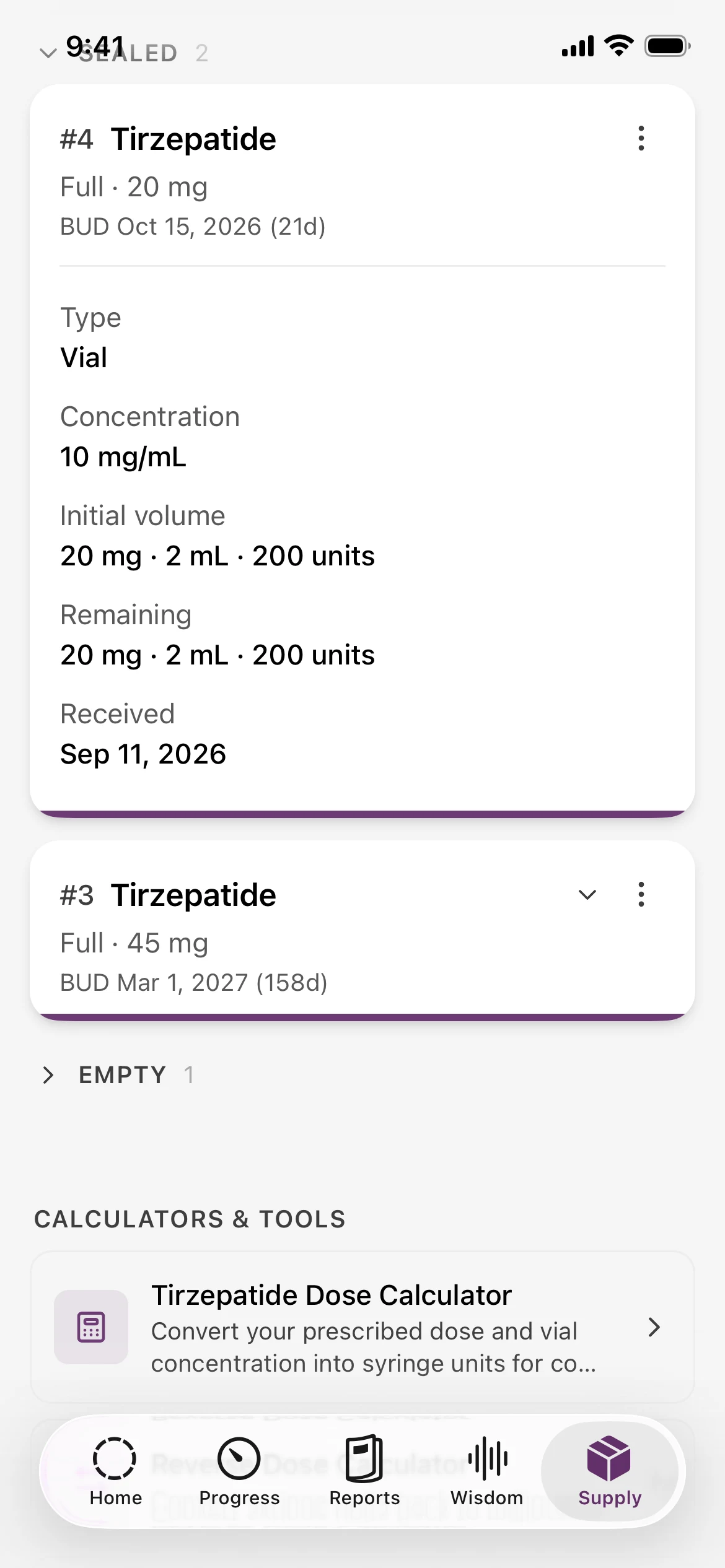
A vial’s label and your shot log belong together. Here’s how the same example vial looks before and after a linked shot in Glapp.
1 Save Your Vial’s Details
2 Link the Shot You Log
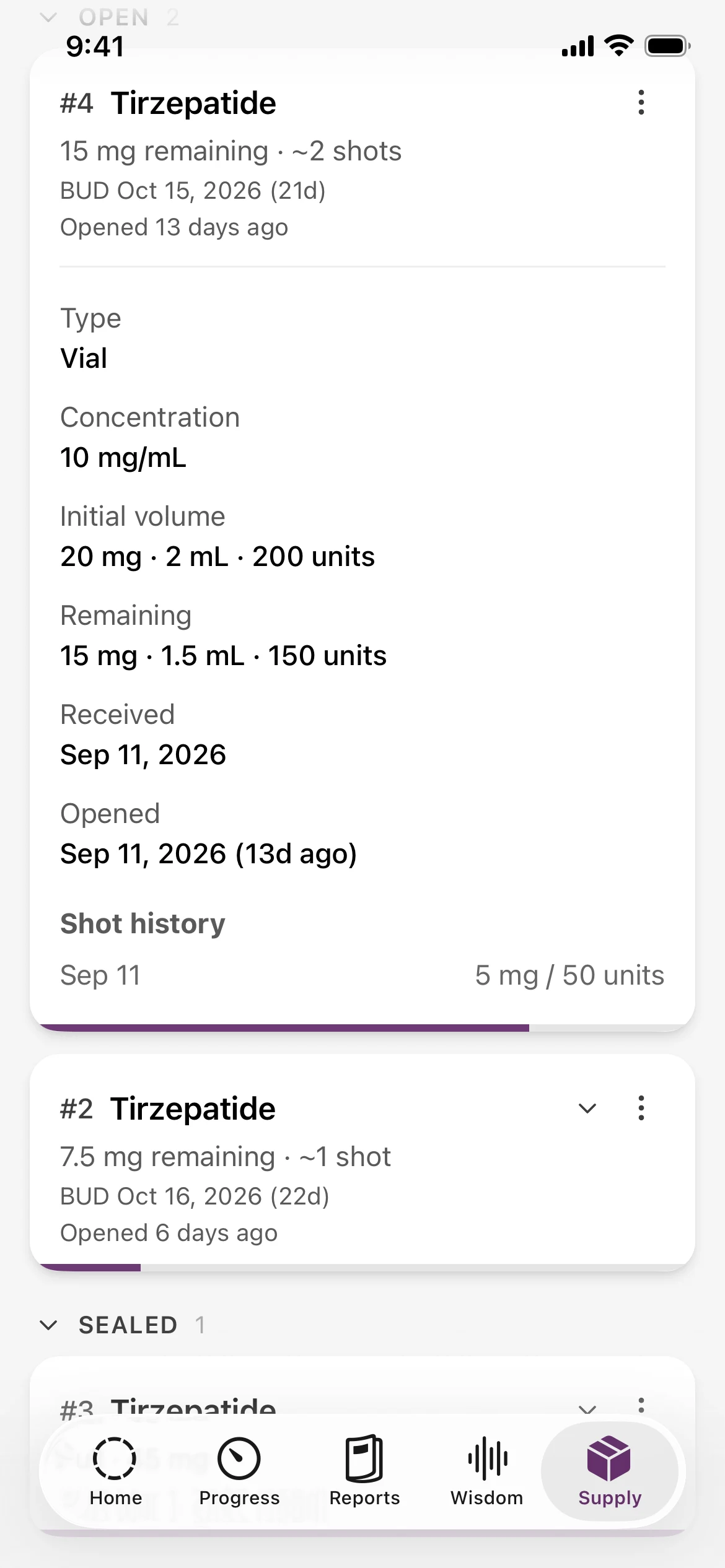
Choose the vial you used when recording your shot. Glapp deducts the corresponding volume using that vial’s saved concentration.
20 − 5 = 15 mg
In this example, a 5 mg shot changes the saved balance from 2 mL to 1.5 mL.
Example records to illustrate tracking, not a suggested dose.
3 See What’s Left
Track Multiple GLP-1 Vials Separately
A new prescription can come with a different concentration or pharmacy label. Keep a separate record for each vial of prescribed compounded tirzepatide or semaglutide, or each Zepbound single-dose vial, so its details stay attached to the shots you log.
Enter your label details manually, or scan the label to prefill fields and review them before saving. Already using a vial? Start with its remaining amount and opened date.
Need your dose in syringe units? Use the free tirzepatide dose calculator or semaglutide dose calculator, then log the mg dose here.
Start on webFind the Vial You Mean
Use vial numbers, pharmacy, provider, and lot details to tell records apart. Sort your inventory by saved date, remaining volume, or vial number.
Keep Open and Sealed Supply Organized
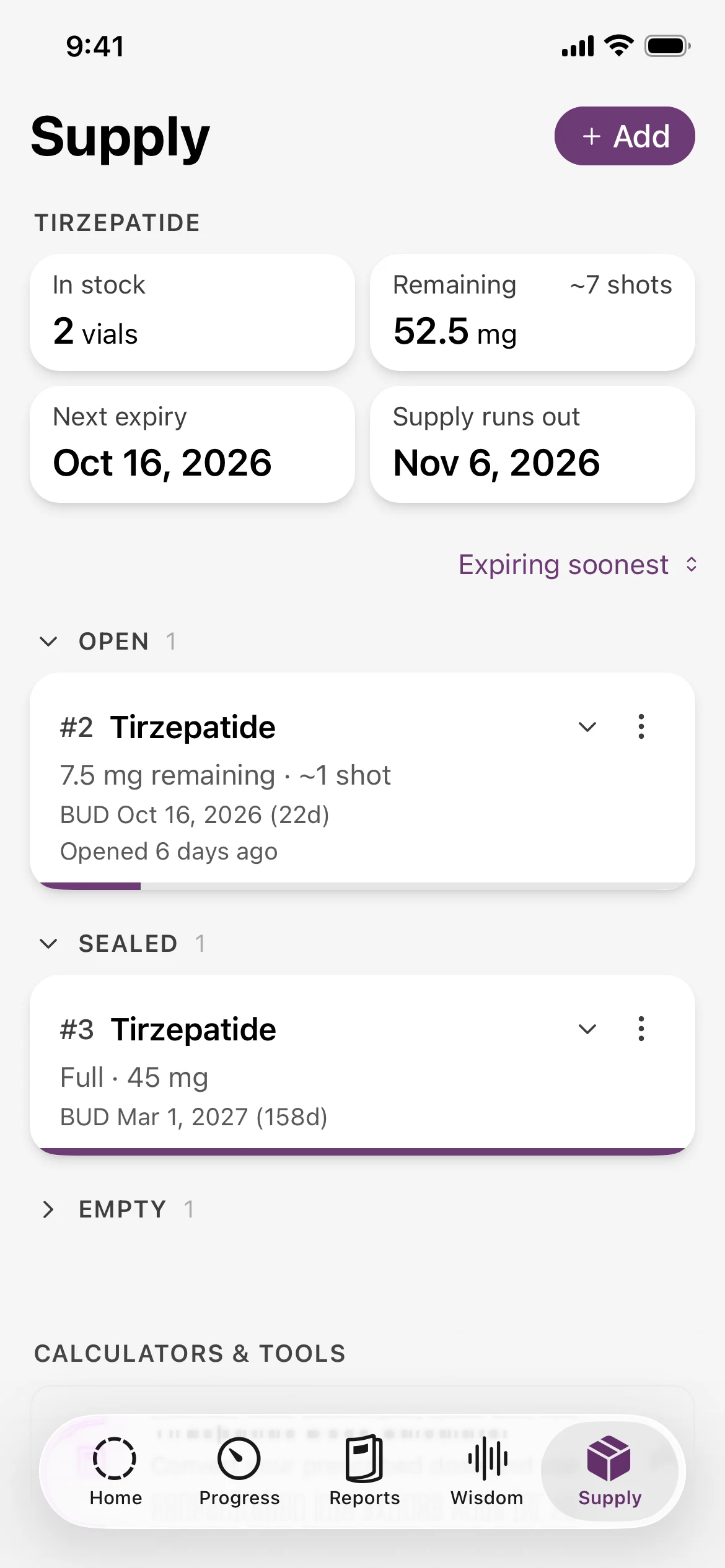
See open, sealed, and empty items in separate groups. Multi-dose compounded vials, Zepbound single-dose vials, and Mounjaro, Ozempic or Wegovy pens can live in the same inventory.
Keep the Wider Picture, Too
Your supply is part of the same Glapp account as your shots, weight, and side effects. Compare weight trends and symptoms alongside estimated medication levels on your charts.
See what else to track on a GLP-1See Remaining GLP-1 Stockpile and Expiration Dates
Your supply overview adds up recorded medication and estimates how many shots remain, based on your most recent logged dose. Your recorded interval and last shot date help estimate when that supply could run out.
Use it to keep your records organized and prepare questions for your pharmacy or care team. Update the record when the amount you actually have changes.
Built for Your Compounded GLP-1 Routine
Glapp is built by GLP-1 patients and health tech professionals, in collaboration with doctors. Keeping track of the small details is part of that experience: what you logged, which vial you used, and what remains.
Keep your supply records with you on your phone or in your browser, with the same account.
Vial Tracking Questions.
What is a GLP-1 inventory tracker?
A GLP-1 inventory tracker keeps a record of the medication you have at home. In Glapp, each vial or pen has its own details, remaining amount, and dates. Linking a shot to that supply item updates its recorded balance.
Can I use Glapp as a tirzepatide vial tracker?
Yes. You can track compounded tirzepatide and semaglutide vials from a pharmacy, as well as Zepbound single-dose vials and branded pens. Save each vial separately with its own concentration in mg/mL, volume, pharmacy, lot and beyond-use date.
Does Glapp work with Zepbound vials?
Yes. Save each Zepbound single-dose vial as its own supply item with its strength and expiry date, alongside pens and compounded vials. Because each vial holds one dose, the useful view is how many sealed vials you have left and when that supply could run out.
Can Glapp convert my dose from mg to syringe units?
The vial tracker records doses in mg and volume in mL. To convert a prescribed mg dose into insulin-syringe units for your vial’s concentration, use Glapp’s free tirzepatide or semaglutide dose calculator, then log the mg dose against the vial. Confirm any conversion with your pharmacist.
How do logged shots update my medication supply?
Select the vial you used when logging a shot. Glapp uses the logged dose and that vial’s saved concentration to deduct the corresponding volume. The linked shot appears in the vial’s history. Shots without a vial link do not reduce that vial’s inventory.
Can I add a vial that is already open?
Yes. Choose Open when adding the vial, enter the amount remaining, and save the opened date. This gives Glapp a starting balance for future linked shots. Check the record against the medication you actually have.
Does Glapp calculate the beyond-use date (BUD)?
No. Enter the BUD supplied by your pharmacy and follow the label’s storage and after-opening instructions. Glapp displays the date you save and tracks when you opened the vial. A remaining balance or supply run-out estimate does not establish how long medication is suitable to use.
How does Glapp estimate how many shots are left?
Glapp estimates the number of shots from your recorded remaining medication and most recent logged dose for that medication. The supply run-out estimate also uses your recorded shot interval and last shot date. These estimates change when your records change; they do not recommend a dose or override a vial’s BUD.
Is GLP-1 supply tracking free?
Yes. Vial and pen inventory is part of Glapp’s free core tracking, alongside shot logging, weight, side effects, and estimated medication levels.
Can I track medication supply on iPhone, Android, and web?
Yes. Use Glapp on iPhone, Android, or in your browser. Sign in with the same Glapp account to access your supply records across devices.
A Clearer View of Your Next Week.
Bring your vials, shot history, and remaining supply together in Glapp.